
Introduction
What is Quest Viva?
Section titled “What is Quest Viva?”Quest Viva is a free, open source system for creating and playing text adventure games and gamebooks - the kind of games sometimes called interactive fiction.
Quest Viva gives you a point-and-click editor where everything about your game is described in plain English, a scripting language for when you want to go further, and a player that runs your finished game in anybody’s web browser. It handles the machinery underneath - working out what the player meant when they typed something, keeping track of where everything in the world is, and what the player can see and reach - so you can get on with writing and designing the game itself.
You don’t need any programming experience to use it. Plenty of people have written and published complete games without ever looking at a line of code.
Quest Viva is the current version of Quest, which people have been using to write text adventures since 1998. If you’ve used Quest 5 before, see What’s new in Quest Viva 6.0.
What can you make?
Section titled “What can you make?”Quest Viva supports two styles of game, and you choose which you want when you create it.
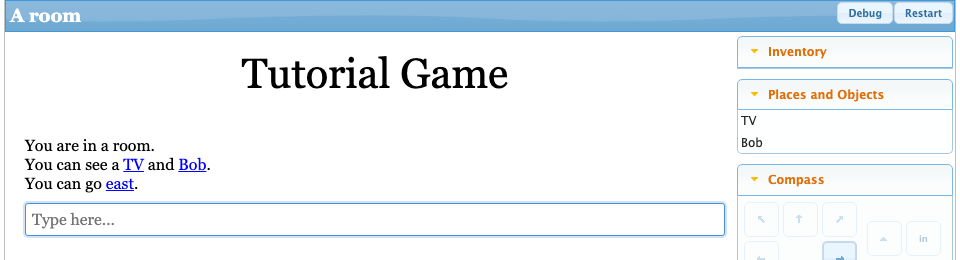
Text adventures are location-based games where the player explores rooms, picks up objects, solves puzzles and talks to characters, either by typing commands like GO NORTH or by clicking on links. This is the classic style, like Zork or The Hitchhiker’s Guide to the Galaxy.
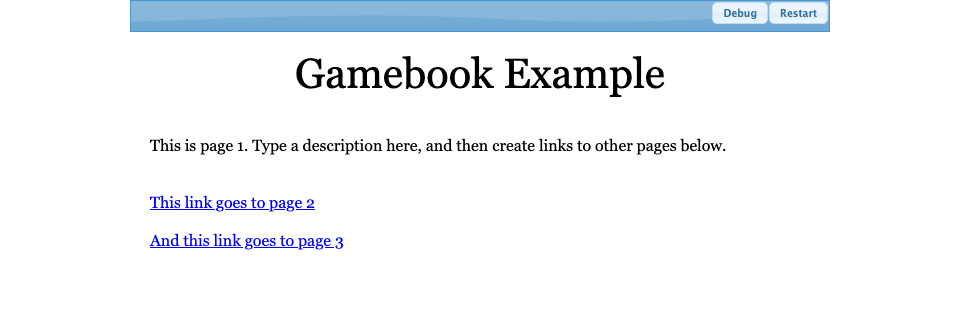
Gamebooks are branching stories rather than explorable worlds. The player reads a passage, picks from a set of options at the end of it, and that choice decides which passage comes next.
Wondering what that looks like in practice? textadventures.co.uk hosts games people have written and published over the years - have a browse through the text adventures and the gamebooks. They all play in your browser, with nothing to install.
The editor
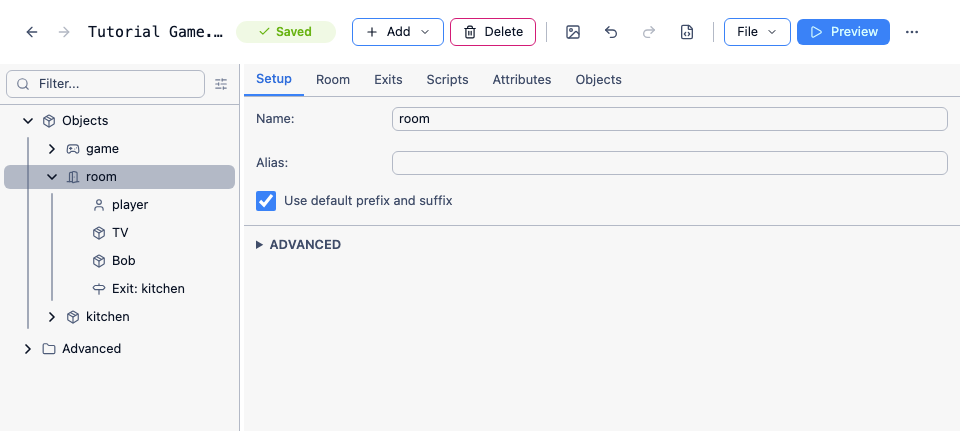
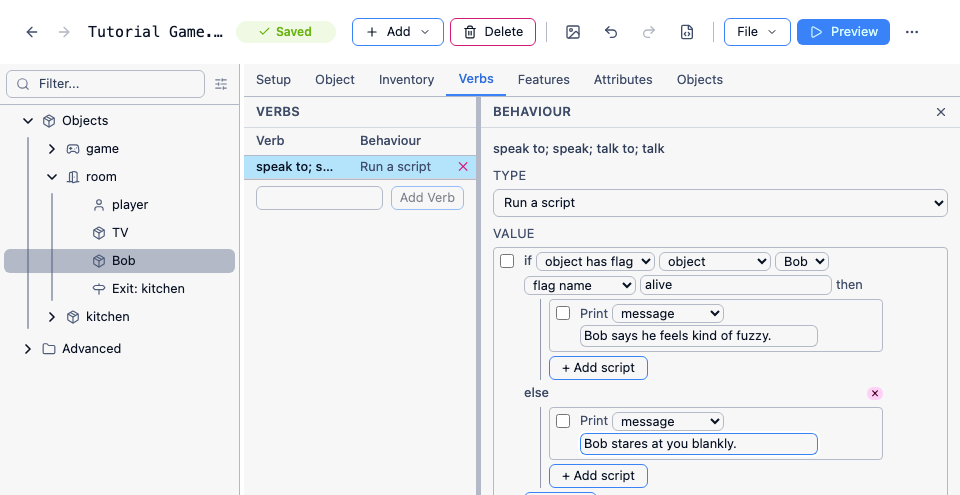
Section titled “The editor”The editor lets you build a game by describing rooms, adding objects and characters, and setting up interactions - all without writing any code. Everything is displayed in plain English.
Images, sound and video
Section titled “Images, sound and video”Your game can be more than just text. You can add:
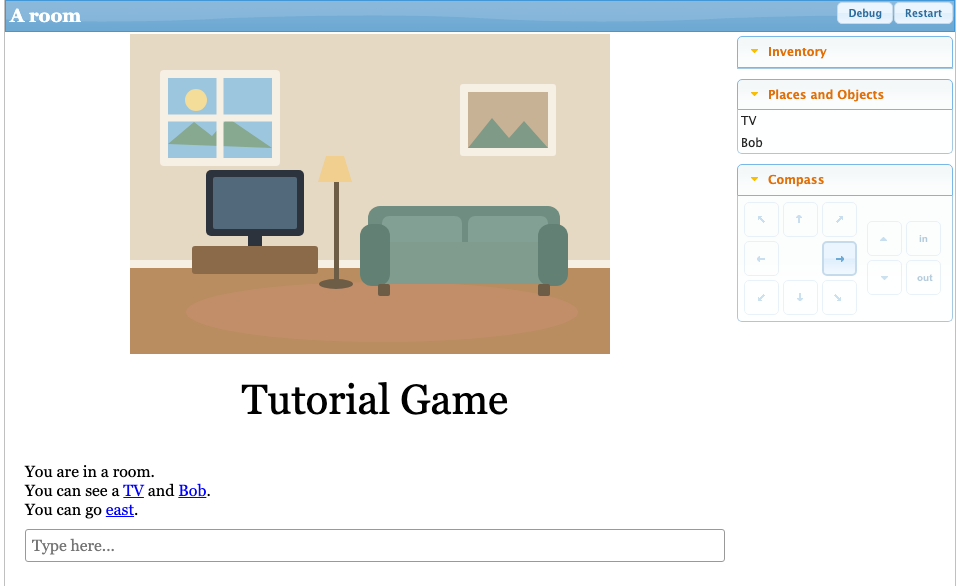
- Images - displayed in the game pane, or alongside room and object descriptions
- Sounds and music - background audio or triggered sound effects
- Video - embedded from YouTube
Scripting
Section titled “Scripting”When you want precise control over how your game behaves, Quest Viva’s scripting system is there. You can write scripts in the editor using a visual block interface, or switch to Code View and write the scripting language directly. Scripts can use variables, conditionals, loops and functions, and you can package up reusable behaviour in object types and libraries.
You can make a complete game without ever using any of it.
Customising the interface
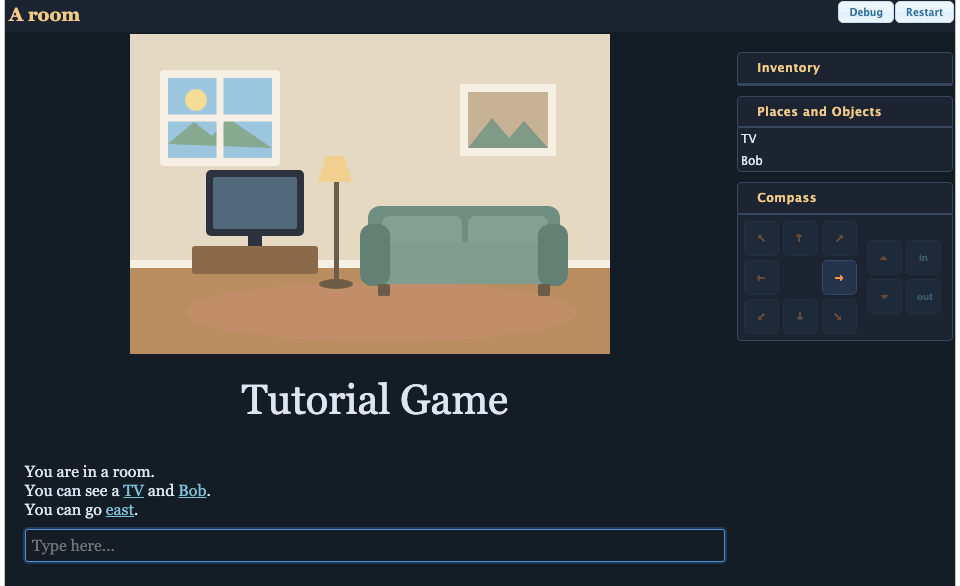
Section titled “Customising the interface”The default player interface is clean and functional, but you have full control over it. You can add custom panes, change fonts and colours, rearrange the layout, and inject your own HTML, CSS and JavaScript to make the game look exactly how you want.
Browser or desktop
Section titled “Browser or desktop”You can use Quest Viva in two ways, and you get the same editor either way:
- In your web browser, at play.questviva.com - nothing to install. It works on Windows, Mac, Linux and Chromebooks, and on tablets and phones too.
- As a desktop app, which you can download for Windows, Mac or Linux.
Where your game is kept depends on how you open it. Pick a folder on your computer - the desktop app always does, and browsers like Chrome and Edge can too - and your game is an ordinary file you keep wherever you like, so you can move between the browser and the desktop app freely.
Otherwise your game is stored inside the browser itself, so use Backup every so often to save a copy to disk - the editor will remind you.
Either way, it’s worth keeping more than one copy as you go, so an accidental change is never the only version of your game that exists - see Backing up your game.
Sharing your game
Section titled “Sharing your game”When your game is ready, you can publish it to textadventures.co.uk, where players can find it and play it in their browser. You can also keep a game private and share just a direct link with friends.
If you’d rather host it yourself, you can - on your own website, or as a single HTML file you can upload almost anywhere. See Hosting your game for the options.
Either way, your players just follow a link. There’s nothing for them to install and no account to create, and once a game has loaded it keeps running even if their network connection drops. Games use a responsive layout, so they work just as well on a phone as on a desktop computer.
Getting started
Section titled “Getting started”The Tutorial is the best place to begin. It walks you through building a game from scratch, and you can follow it in the browser without downloading anything.
Getting help
Section titled “Getting help”If you get stuck, or just want to show people what you’re making, ask on Discord or in GitHub Discussions. If you find a bug or want to request a feature, open an issue.
Quest Viva is open source - the source code is on GitHub, and contributions are welcome.